Workout and meal plan app

Train and eat by your plan.

My Form is a workout and meal plan app: a training plan and a meal plan with calories and macros, built around your goal, schedule and equipment. Every day you know what to train and what to eat.

Download on the App Store 3 days free

Trial for eligible new subscribers. Then from €7.99 a month or €49.99 a year; the App Store shows the price for your country.

What you get

Two plans.
One app.

A meal plan with macro tracking and a training plan, for the gym or home workouts. Counting calories comes down to a tap: mark a meal and see your intake.

Meal plan and macro tracking

Get a daily target for calories, protein, carbs and fat, calculated for you. Mark what you ate and see your intake right away.

  • Five meals a day, with recipes and grams
  • 75 dishes, and you can swap any of them
  • Vegetarian, vegan, lactose-free or gluten-free
Nutrition screen: calories, protein, carbs and fat eaten so far

A multi-week training plan

Built around your goal, experience, training days and equipment. Open the app and see today's workout, exercise by exercise.

  • Gym, home with equipment, or bodyweight and a band
  • 2 to 6 workouts a week, 30 to 75 minutes each
  • 118 exercises with photos, weight logging and a rest timer
Today screen: level, plan week and today's workout

Calories and macros are estimates, not medical advice.

What the app does

Everything you need to train and eat well.
In one place.

01

Nutrition, kept simple

Five meals a day with recipes, grams and prep time. Swap any dish you don't like for another. Choose vegetarian, vegan, lactose-free or gluten-free, and a dish with an allergen you mark is never suggested.

02

Calories, macros and water

Your daily target for calories, protein, carbs and fat is calculated for you. Add water with one tap: +200, +330 or +500 ml. All values are estimates, and we call them that.

03

A personal plan, weeks ahead

Your plan is built on your phone from your goal, experience, training days and equipment. It runs in blocks of 4 to 6 weeks, and every block ends with a lighter recovery week. Open the app and you see right away whether today is a workout or a rest day.

  • Gym, home with equipment, or bodyweight and a resistance band
  • 2 to 6 workouts a week, 30 to 75 minutes each
  • The same answers always give the same plan, no guesswork
04

118 exercises with photos

Every exercise comes with a photo, and for about 100 of them you see both the start and the end position. You also get step-by-step instructions, a technique cue, the muscles worked and the equipment you need.

05

Sets, reps, weight

Log the weight and reps for every set as you train. Next time the app suggests a weight based on your previous sets. Timed exercises, like the plank, get a countdown.

06

Rest timer

Rest starts on its own after every set. Add or take off 15 seconds, or skip it. You also see what is coming in the next set.

07

30-day challenges and badges

Two 30-day challenges, with training days, light movement days and rest days. Showing up earns you XP, levels and 14 badges. Miss a week and you don't lose everything you have built.

08

Weight, progress and form score

Track finished workouts, plan completion, volume and total time. Log your weight and measurements (neck, waist, hips), and a chart shows the trend over 7, 30 and 90 days. The form score from 0 to 100 sums up the last 28 days: consistency, weeks in a row, logged sets and strength. It is there to motivate you, not a medical assessment.

New in the app

Now it does even more.

New in version 1.3

Lock Screen Live Activity: exercise, set and rest

Live Activity

Your workout on the Lock Screen and in the Dynamic Island

See your exercise, set and rest while you train, and distance, pace and heart rate on runs and walks, whether you train with your iPhone or with Apple Watch.

Home Screen widgets: next workout, water, meal, streak and level

Widget

Water with one tap

The Home Screen and Lock Screen widget shows what you choose: next workout, next meal, water, streak and level. Add water right from the widget.

Apple Watch

Water and meals on your watch

When no workout is running, log water and meals on your watch, and the entries sync to your iPhone. The watch app also has a new look, with clearer screens.

Weights

Suggested weights from your history

Workouts propose a weight based on your previous sets, lighter in a deload week and after a break. Without history you choose the weight yourself.

My plan

Change your plan, keep your history

Change your goal, training days, place and equipment, or experience. Your new plan starts next Monday and your history stays.

Phases

Phase summaries and more variety

When a block ends you get a summary and a preview of the next phase. Main lifts stay so your progress stays measurable, while accessory exercises change from phase to phase.

Progress

Strength chart

Your heaviest set and estimated 1RM for your 5 most frequent exercises, plus a new Phases section with every block.

Account

Account if you want one

Sign in with email and a code to keep your XP, challenges and badges. The app works without one, and your Apple Health and body data never leave your devices.

Since version 1.1

AI coach

Say what happened. The plan adapts.

Type "no eggs today", "legs are sore" or "only 30 minutes". The coach proposes a meal or exercise swap, a lighter or shorter session, or a new date. Nothing changes until you confirm.

Optional, 18+, after a separate consent. It never sees Apple Health, weight or calories. 100 messages a month are included.

AI coach proposes an egg-free meal swap, with an Apply button
Progress screen: Speed level, Bronze tier and earned XP

XP and levels

30 levels for showing up

Sets, workouts, runs and daily goals earn XP. Every level has its own name and icon, and you can share your level card.

Strength chart: heaviest set and estimated 1RM over time

Weight and strength

See where you are heading

Log your weight from the Today tab and see 7, 30 and 90 days on a chart. You can also follow how your strength grows on the exercises you do most.

Run post: distance, elevation gain and time over a photo, with the route drawn

Running

Share your run with your own photo

Your route and numbers go over your photo or a clip of up to 30 seconds. The start and end of the route stay hidden unless you choose to show them.

Partners and perks screen: Fit Lab, 15% off

Partners

Partner discounts

First up is Fit Lab in Serbia: 15% off most of their supplements. You see them in the app, with no account or sign-up.

Languages

Serbian, English, Croatian and German

The whole app, including exercises, recipes and challenges. Pick your language in Profile.

Catalog

See how each move is done.

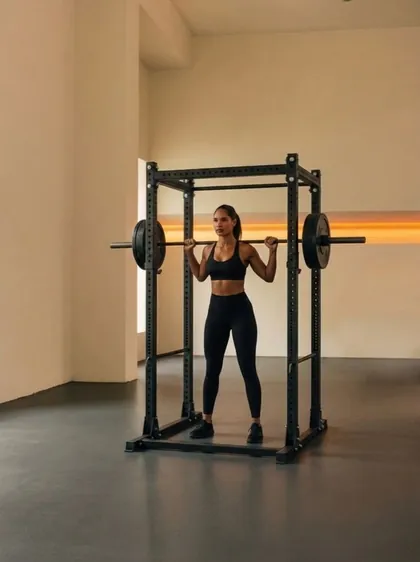
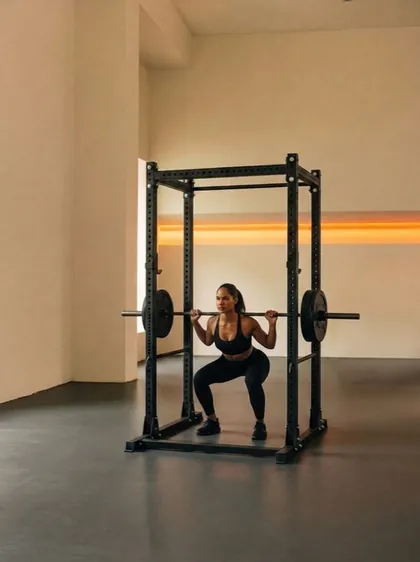
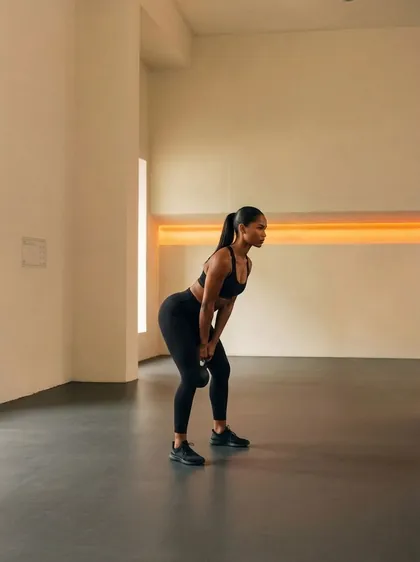
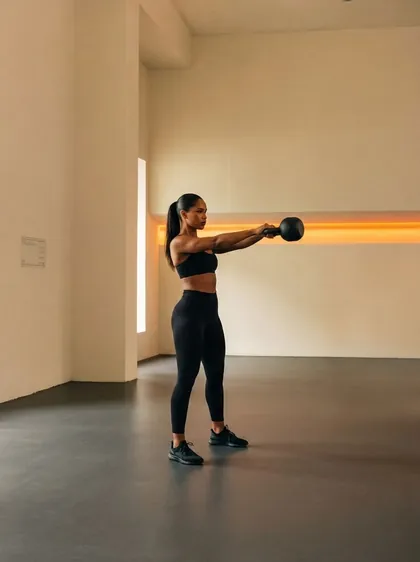
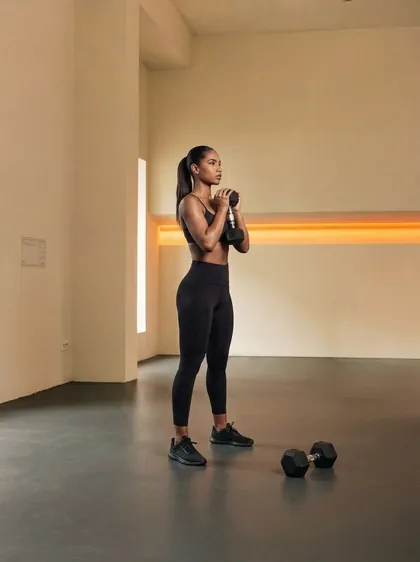
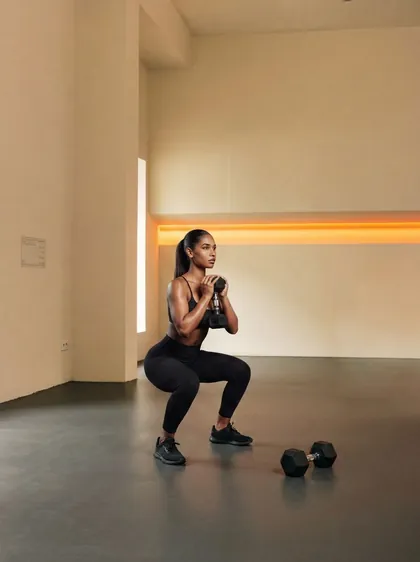
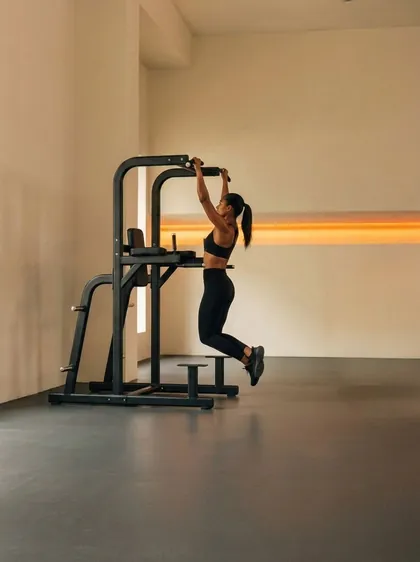
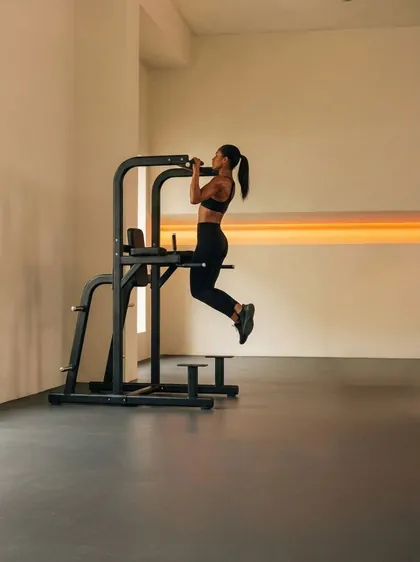
Photos show the start and end position of the movement, just like in the app.

  • Barbell Back Squat, start position
    Barbell Back Squat
  • Kettlebell Swing, start position
    Kettlebell Swing
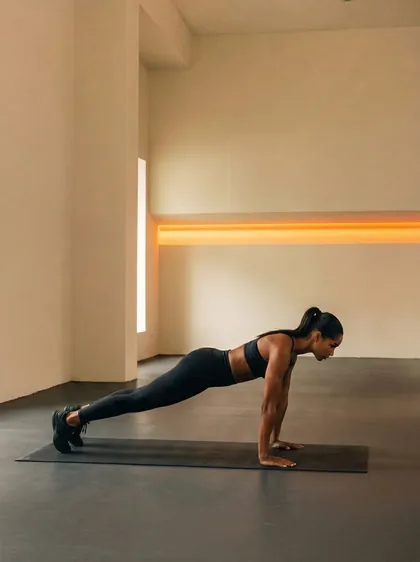
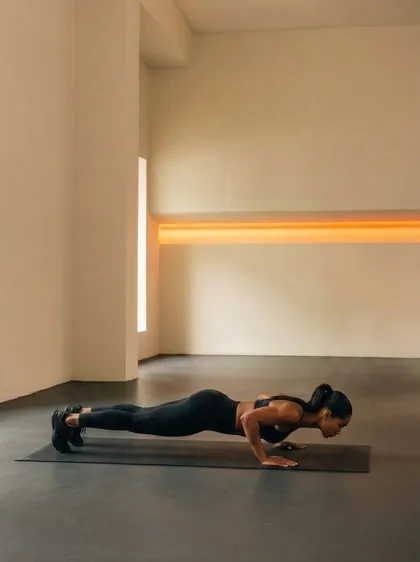
  • Push-Up, start position
    Push-Up
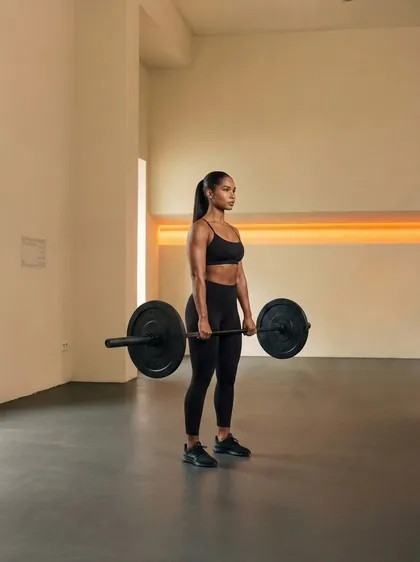
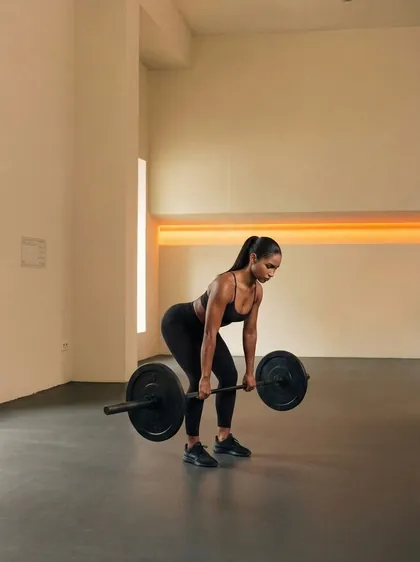
  • Barbell Romanian Deadlift, start position
    Barbell Romanian Deadlift
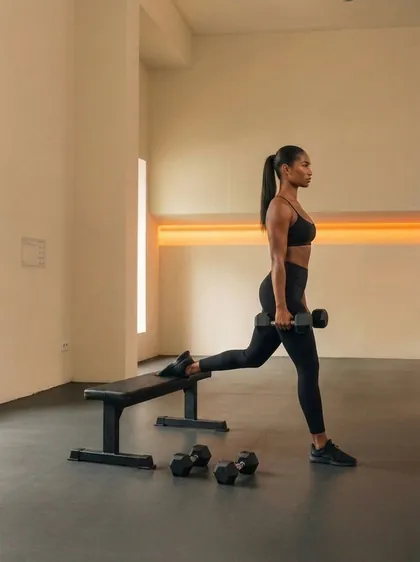
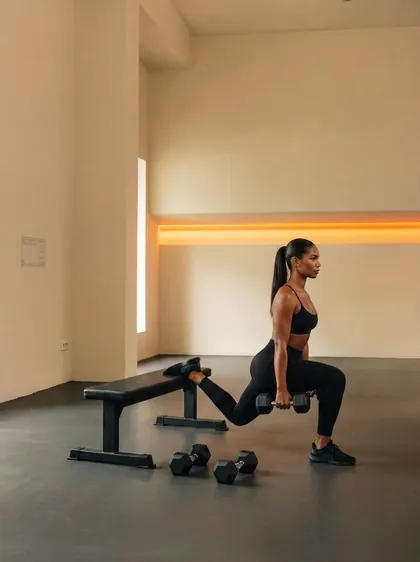
  • Bulgarian Split Squat, start position
    Bulgarian Split Squat
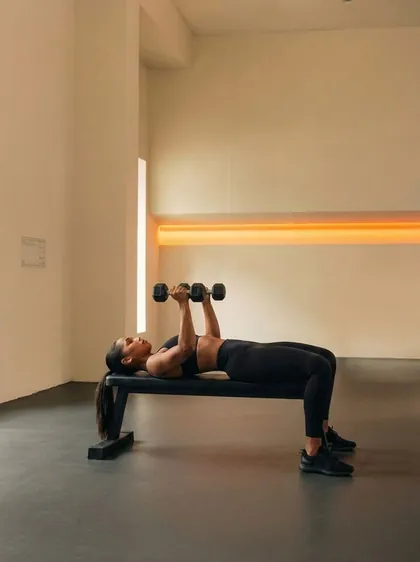
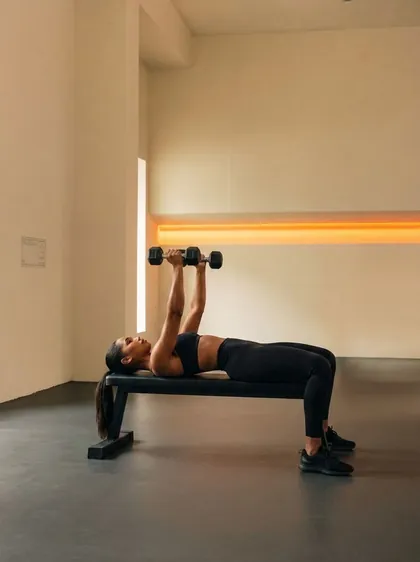
  • Dumbbell Bench Press, start position
    Dumbbell Bench Press
  • Goblet Squat, start position
    Goblet Squat
  • Pull-Up, start position
    Pull-Up

Running, walking and Apple Watch

A man walking along a river at sunset

Outdoors

Run. Walk. With GPS.

Running, jogging and walking with a route map. Follow distance, pace, time, elevation gain and heart rate live. You get a split for every kilometer, and the workout pauses on its own when you stop.

Share your route as an image for a story or a square post. The start and end of the route are hidden in the image, so nobody can see where you live.

Two Apple Watch Ultra watches: a squat set with a Done button, and the rest countdown

Apple Watch

Your workout, on your wrist.

The watch guides your sets and rest and measures your heart rate as you train. Confirm a set with one tap. For cardio you see your heart rate zone, distance and pace. Runs, walks and free strength workouts start without a plan, too. When no workout is running, log water and meals on the watch.

Programs

A plan that follows you.
Not the other way around.

Goal

  • Lose fat
  • Build muscle
  • Both: recomposition
  • Maintain fitness

Experience

  • First time
  • Under 6 months
  • 6 months to 2 years
  • Over 2 years
  • Gym

    Barbells, dumbbells, machines and cables.

  • Home with equipment

    Dumbbells, a kettlebell, a resistance band, a jump rope and a box.

  • Bodyweight & resistance band

    No machines, wherever you have a little space.

The split depends on how many days you train: full body, upper / lower, or push / pull / legs.

Special programs

For every stage of life.

  • 65+A dedicated plan for ages 65 and up. It turns on by itself, based on the age you enter.
  • MenopauseTurns on only if you choose it yourself. We never assume it from your age.
  • PostpartumA gentle, low-impact program. The plan is built only after you confirm your doctor has cleared you to exercise.

Before your plan, you answer a short health questionnaire. If something bothers you (shoulder, knee, back…), the plan avoids exercises that load that area. When an answer is serious, the app sends you to a doctor first.

Challenges

30 days. One goal.

  • A woman doing a barbell squat in a bright studio

    Booty Challenge

    30 days · focus: glutes and hamstrings

    30 days to shape and lift your glutes, no gym needed, unless you want one. Three to four sessions a week, with easy movement days and real rest days in between. Everything works at home with your bodyweight; a dumbbell, a band or a step help but aren't required.

  • A man running on a treadmill

    30 Days of Conditioning

    30 days · focus: endurance

    Build your breathing and work capacity: from easy steady work to intervals and bodyweight circuits. All of it works at home; equipment is a bonus.

Challenges build strength and habit. We don't promise a number on the scale or a certain look in a month.

Privacy

Your health data
stays on your phone.

  • Account optionalThe app works without an account. To keep your XP, challenges and badges, sign in with email and a code.
  • No adsThere are no ads in the app.
  • No analyticsWe don't track what you do in the app.
  • No iCloud for healthHealth data is not synced and is not sent to our servers.
  • Apple Health, if you want itThe app works without a single permission. If you turn on Health, it saves runs, watch workouts and the meals you confirm. The only thing it reads is heart rate.
  • AI coach if you want itIt only works after a separate consent and only gets what you type and non-health data from your plan.

Partner with us

Let's work together.

We're looking for creators and brands from fitness, nutrition and healthy living. Pick what fits you and get in touch.

Influencers and creators

You train and share it with your audience?

Joint campaigns for your audience. Everything about working with us is in the deck.

Partners and brands

A gym, supplements or sports gear?

Offer app users a discount on the Partners page, already live in the app.

Or write directly: [email protected]

Pricing and trial

Your first 3 days are free.

Try the whole thing: workouts, nutrition, runs and Apple Watch. There is no free tier with fewer features.

  • Monthly

    from €7.99per month

    Cancel anytime.

  • Best value

    Yearly

    from €49.99per year

    From about €4.17 a month.

Prices start at €7.99 a month or €49.99 a year; the App Store shows the price for your country. The 3-day free trial is for eligible new subscribers. Payment is charged to your Apple Account and the subscription renews automatically. Unless you cancel at least 24 hours before the end of the trial or the current period, the next period is charged. Cancel anytime in your Apple Account settings. Requires an iPhone with iOS 26; the watch app requires watchOS 26.

Questions

Frequently asked.

How much does it cost and how does the free trial work?

The subscription starts from €7.99 a month or €49.99 a year; the App Store shows the price for your country. Eligible new subscribers get a 3-day free trial. Unless you cancel at least 24 hours before the trial ends, the plan you chose is charged. There is no free version.

Is the app good for beginners?

Yes. You start by choosing your experience, from "First time" to over 2 years, and the plan is built around it. Exercises come with photos, step-by-step instructions and technique cues, and every block of the plan ends with a lighter week.

Can I do home workouts without a gym?

Yes. Choose the gym, home with equipment, or bodyweight and a resistance band, and the plan is built around it. Home workouts also use everyday items: a chair, a table, a wall, a step, a towel or a backpack.

Do I need an Apple Watch?

No. The app works with just your iPhone. If you have an Apple Watch, it guides your sets and rest and measures your heart rate, and you can log water and meals on it too.

How do the meal plan, calories and macros work?

You get daily targets for calories, protein, carbs and fat, plus meal ideas. Mark planned meals as eaten or swap them, and you see your intake right away. You can choose vegetarian, vegan, lactose-free or gluten-free. All values are estimates, not medical advice.

Is it on Android, and which languages does it support?

No Android: the app is for iPhone (iOS 26) and Apple Watch (watchOS 26) only. It is available in English, Serbian, Croatian and German, and you pick the language in Profile.

Do I need an account?

No. An account is optional and the app works without one. If you want, sign in with email and a code to keep your XP, challenges and badges. The subscription goes through your Apple Account.

What happens to my health data?

It stays on your device: it is not synced through iCloud and not sent to our servers. Apple Health is optional. The AI coach is optional too, works only after a separate consent and never sees Apple Health, weight or calories.